AutoSprite Cutter - Precision Slicing for Pixel Artists
A downloadable game for Windows
# AutoSprite Cutter - Precision Slicing for Pixel Artists
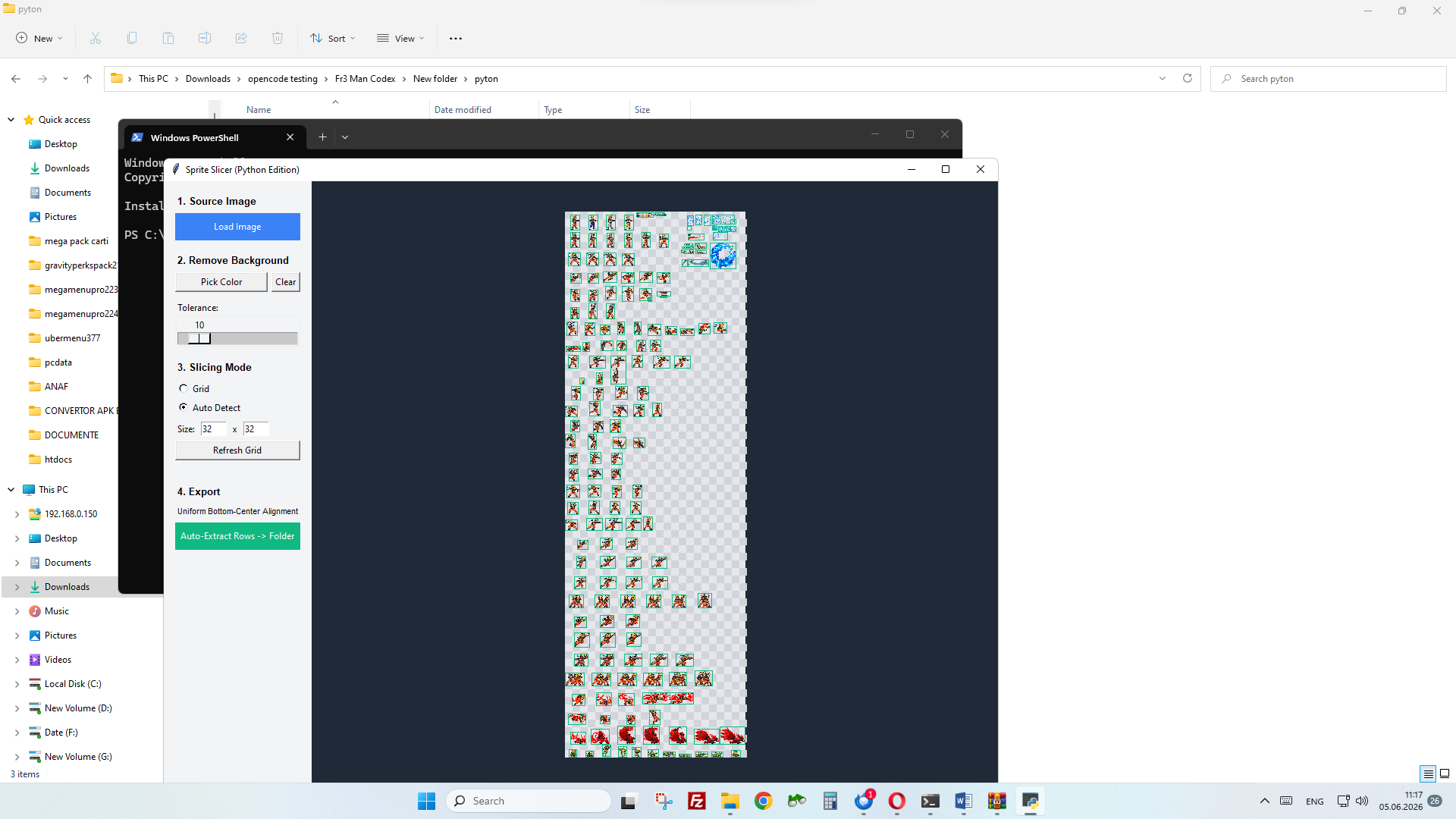
**AutoSprite Cutter** is a powerful, lightweight desktop tool designed to automate the tedious process of slicing sprite sheets. Whether you have a messy collection of frames or a perfectly aligned grid, this tool helps you extract, optimize, and preview your animations in seconds.
---
### 🚀 Key Features
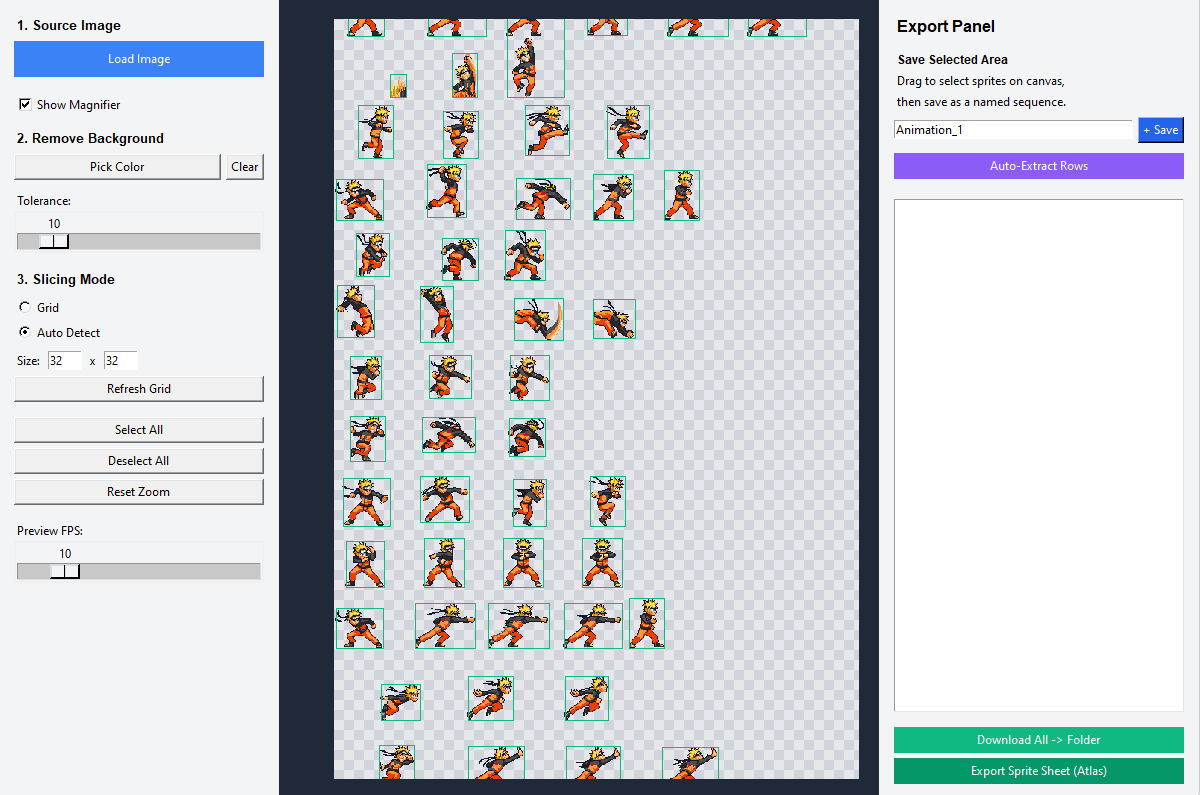
* **Smart Auto-Detect:** Uses advanced contour detection (OpenCV) to find sprites of any shape and size automatically.
* **Grid Slicing:** Perfect for tilesets and uniform animation sheets. Just set your cell size and go!
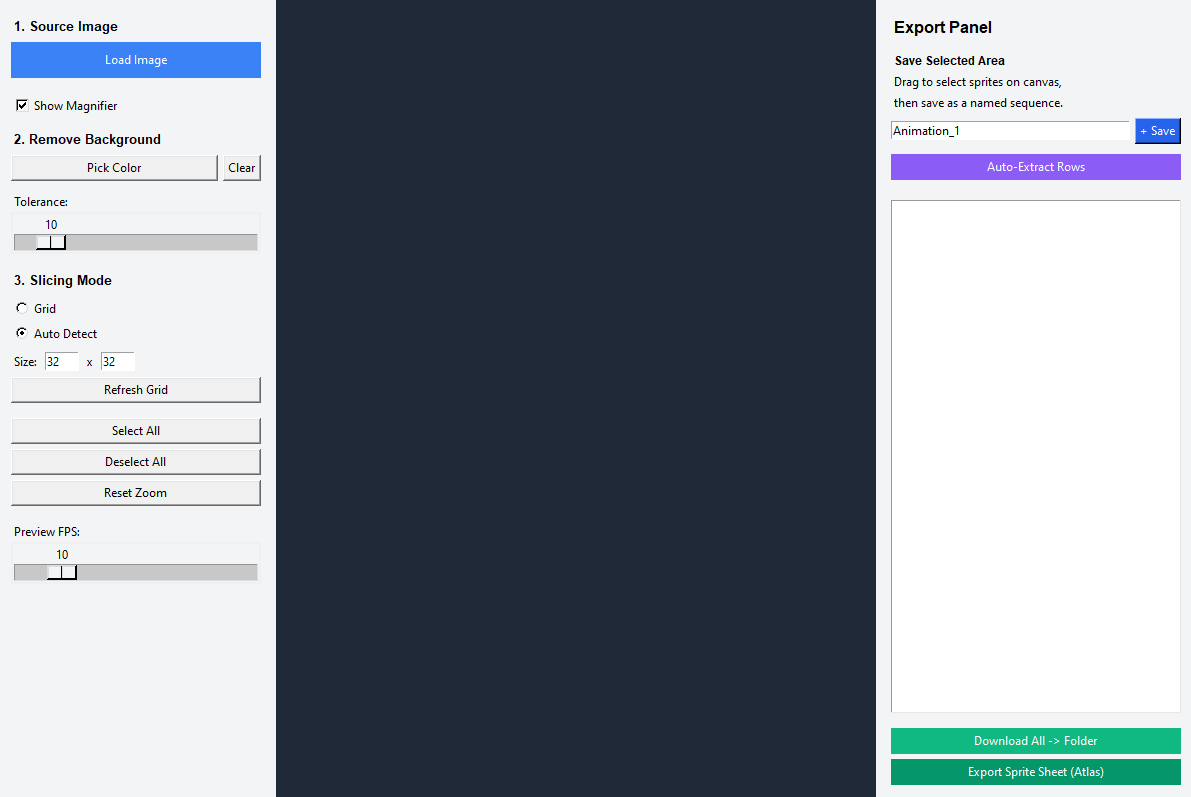
* **One-Click Background Removal:** Use the "Pick Color" tool to select background colors. Adjustable tolerance ensures clean edges even with semi-transparent pixels.
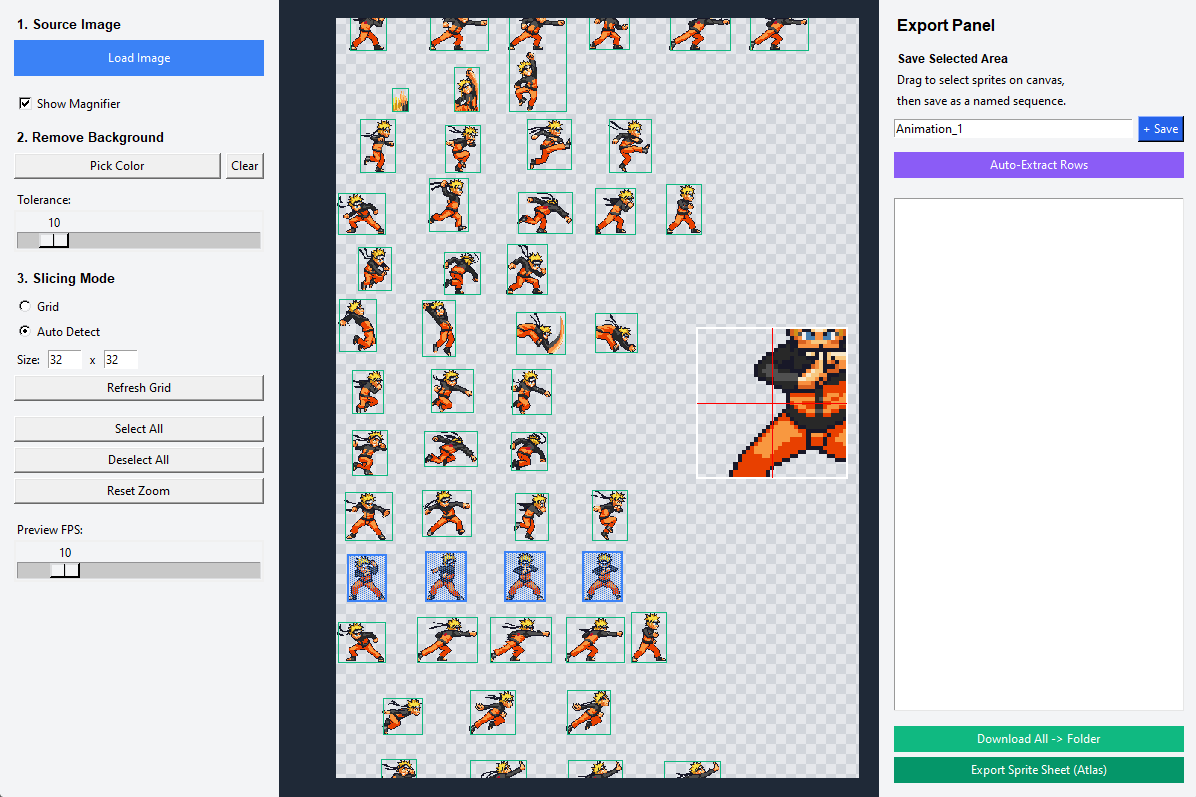
* **Manual Refinement:** Drag, resize, and delete selection rectangles directly on the canvas for pixel-perfect control.
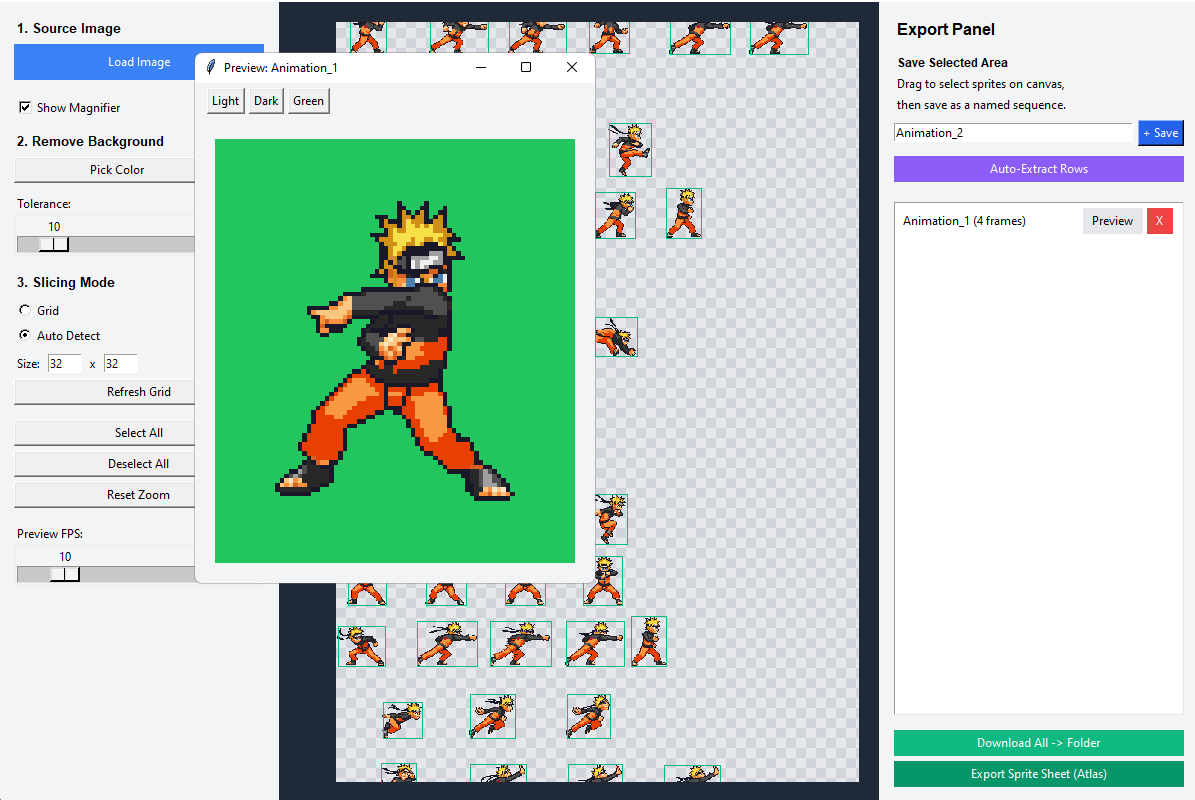
* **Live Animation Preview:** Test your sequences instantly with the built-in previewer. Adjust FPS on the fly to see how your character moves.
* **Professional Export:**
* Export as individual frames into organized folders.
* Pack sprites into a single optimized **Sprite Sheet (Atlas)** with an accompanying **JSON** metadata file.
* **Magnifier Tool:** Get a close-up view of every pixel for precise editing.
---
### 🛠 How to Use
1. **Load Image:** Import your PNG, JPG, or BMP sprite sheet.
2. **Clean Up:** Use the Color Picker to remove the background if needed.
3. **Slice:** Choose between "Auto Detect" or "Grid" mode.
4. **Organize:** Select sprites on the canvas and save them as named sequences (e.g., "Idle", "Run").
5. **Preview:** Open the Preview window to check your animation.
6. **Export:** Download everything as a folder or a packed atlas.
---
### 💻 Technical Details
* **Platform:** Windows (Portable EXE or Python script)
* **Engine:** Powered by Python, OpenCV, and Pillow.
* **UI:** Clean, dark-themed interface designed for focus.
---
### 📦 Installation
**For Windows:**
Simply download and run `AutoSprite_Cutter.exe`. No installation required!
**Stay Pixelated!**
*Created for game developers who value their time.*
Download
Click download now to get access to the following files:
Development log
- AutoSptrite Cutter - Pro v215 days ago
Leave a comment
Log in with itch.io to leave a comment.